How to change button colors (Buy CTA)?
Written By Moritz Dreßler
Button colors depend on your checkout branding
The background color of the post-purchase upsell button will always match the button color of your Shopify Checkout page. This is enforced by Shopify to maintain a cohesive and seamless checkout experience for your customers. To change your button color go to Shopify Admin > Settings > Checkout, then click the “Edit / Customize” button on your live checkout profile:
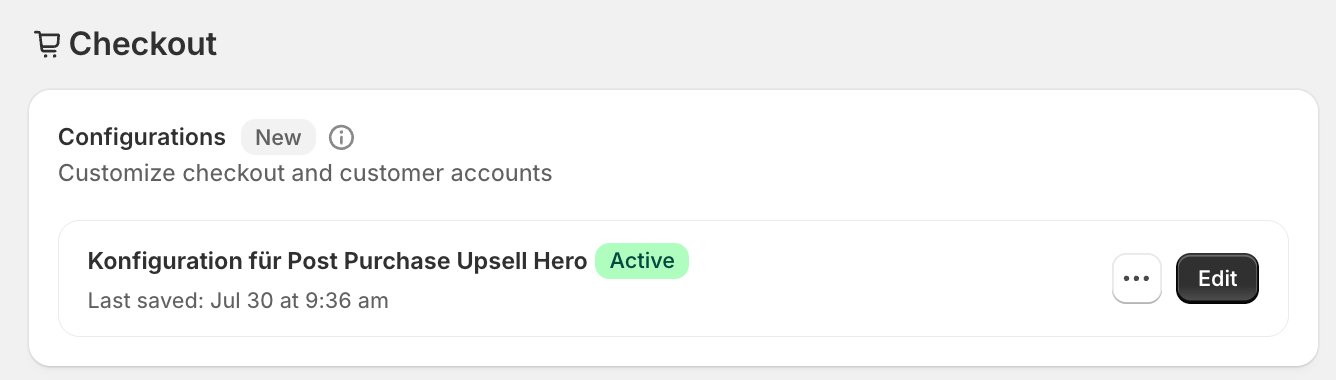
Next, navigate to the Settings tab on the left and adjust the button color as shown in the image below.
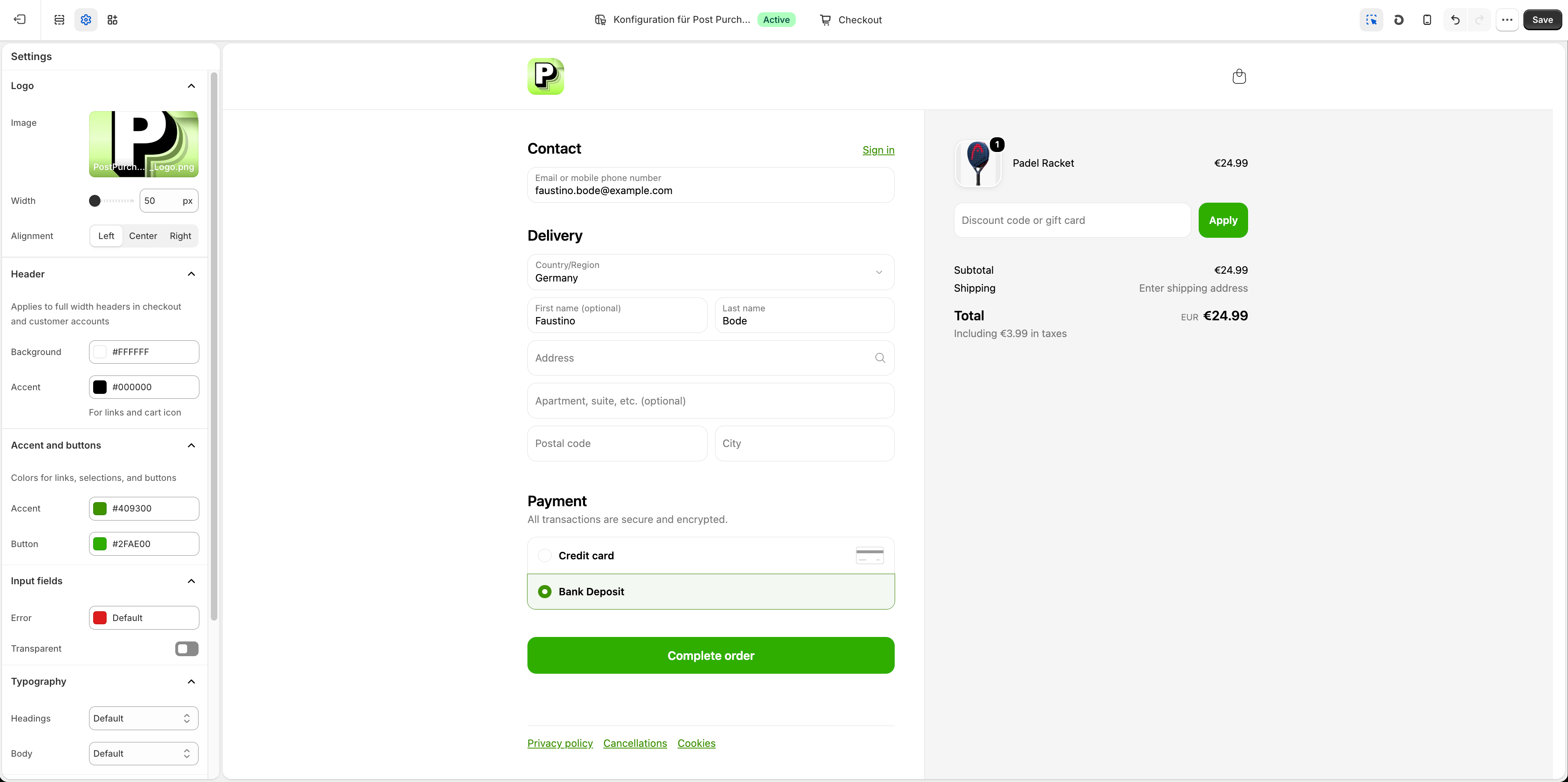
Adjust the button text color
The text on the button is automatically determined by Shopify according to the button background color. This ensures that the text remains visible and easy to read. Please note that our editor preview may show minor inaccuracies, but the post-purchase branding will match your Shopify checkout settings on a live offer.
Was this helpful?
Still need help? Ask the team