Connect Klaviyo and AddressHero
Connect Klaviyo to AddressHero to trigger automated flows when address errors are detected.
Written By Moritz Dreßler
Here is our guide how to connect you Klaviyo account with AddressHero:
Step 1: Create a private API-Key in Klaviyo
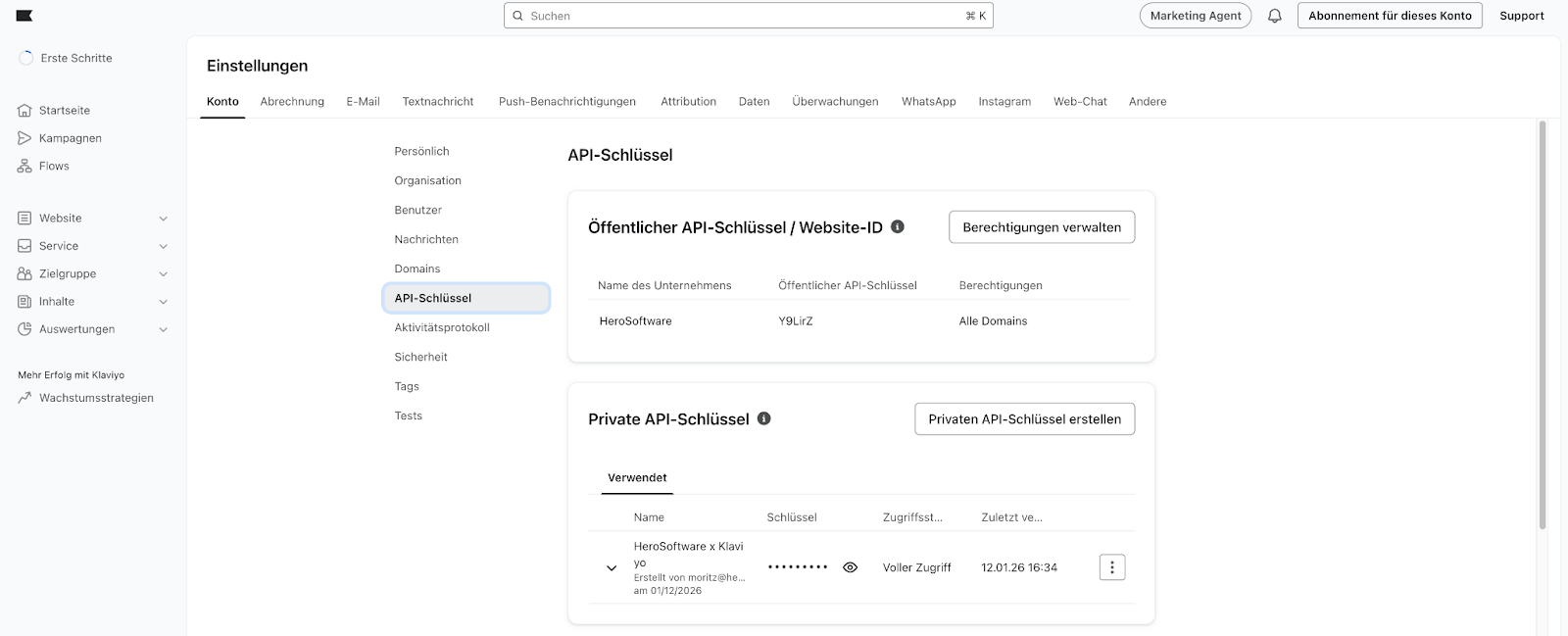
Step 2: Add Klaviyo API Key to AddressHero via Settings

Step 3: Define which address errors trigger a your Klaviyo Flow

Step 4: Create Workflow in Klaviyo

Step 5: Create Flow > Choose Name

Step 6: Select Trigger Event “Incorrect Shipping Information" and confirm
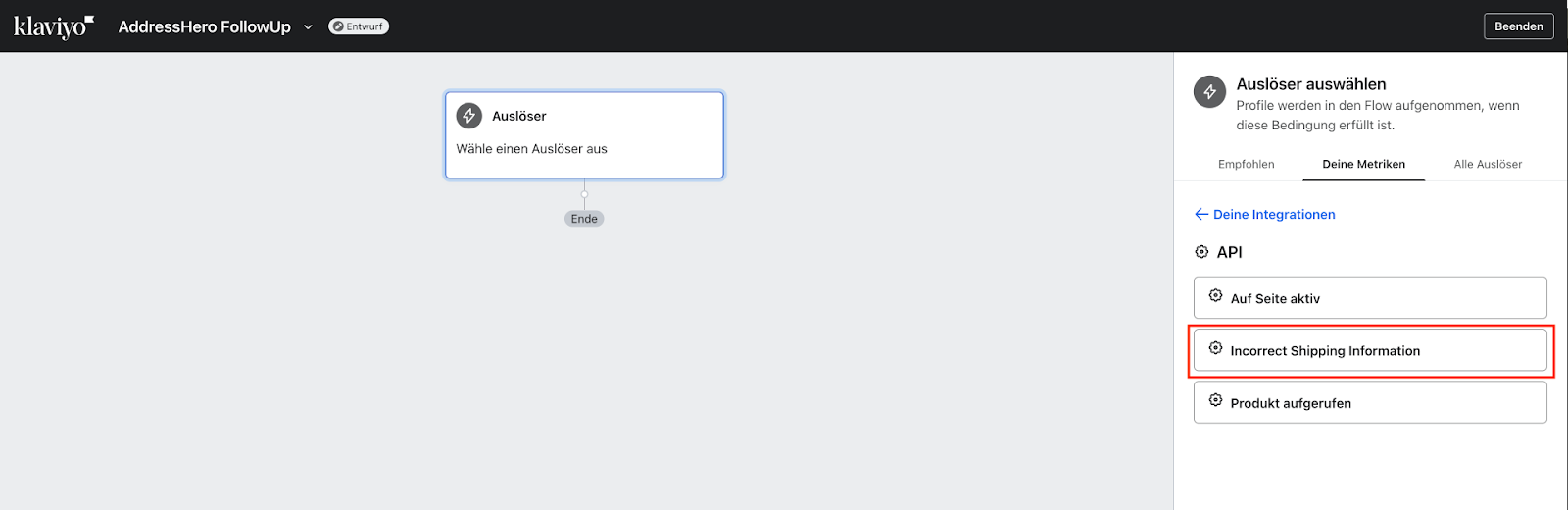
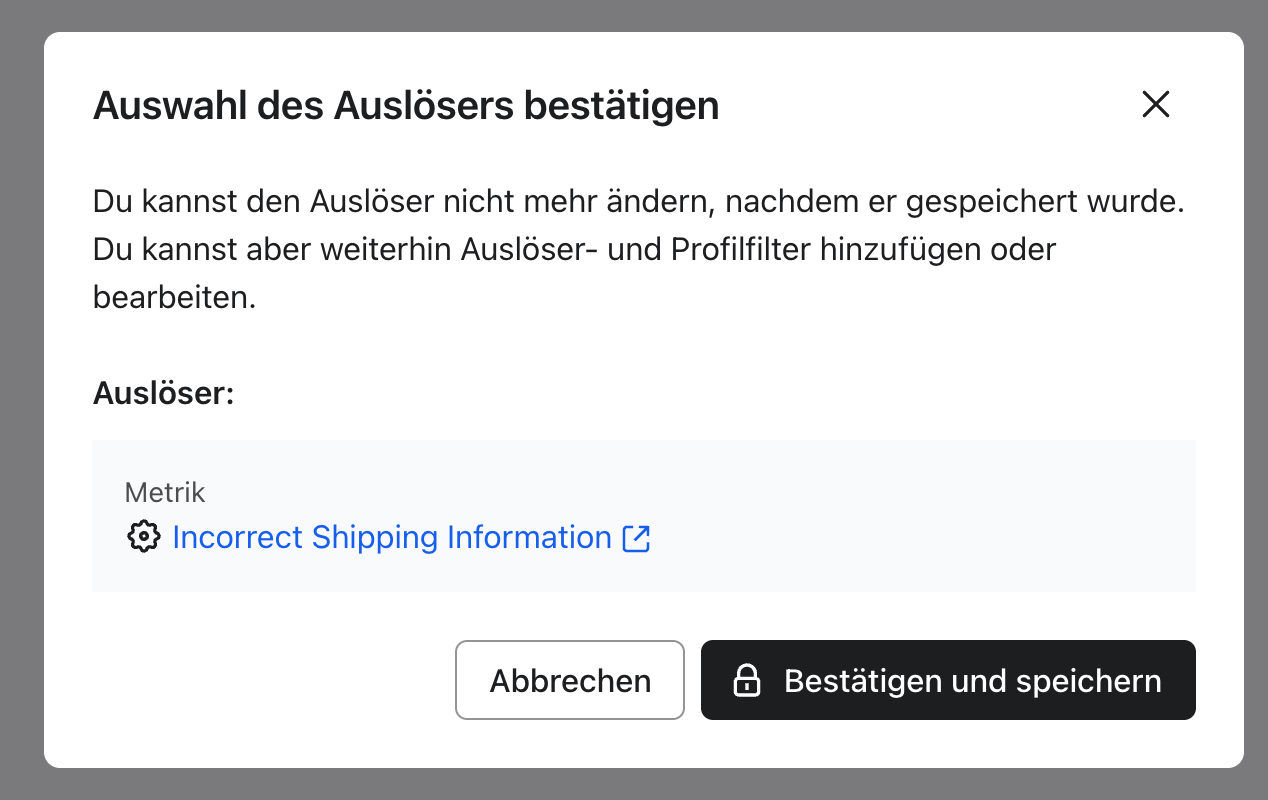
Step 7: Define and create E-Mail Flow
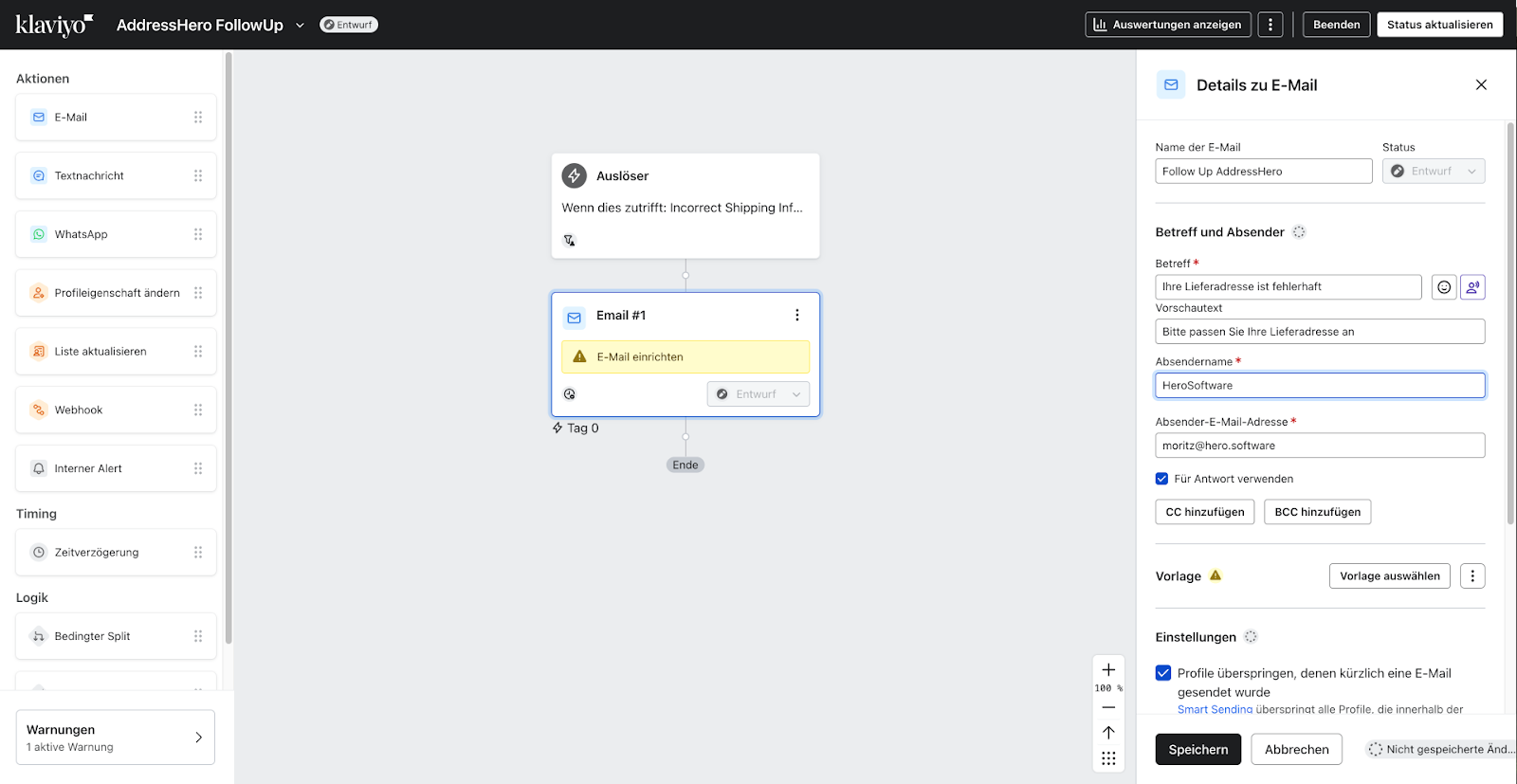
Use the following event parameters to customize your email template in Klaviyo:
Add the customer's name
{{first_name}}
{{last_name}}
Add the link to the order status page, where customers can update their shipping address
{{event.url}}
Add the original shipping address
{{event.address1}}
{{event.address2}}
{{event.city}}
{{event.zip}}
Add the specific address issue
{{event.error}}
Archive Loom Tutorial:
https://www.loom.com/share/ef5febb2df35486d8765f8b817249efc
Was this helpful?
Still need help? Ask the team